
selected languagethis page is Englishno German page available

Tracii 400


Tracii 400 - Fast Mode I2C Monitor and Interface

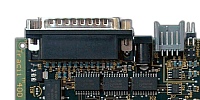
Tracii 400 (it reads Tracy 400) is a hardware-based 400 kbit/s full-speed I2C bus interface featuring the I2C modes mult-master and slave. Additionally Tracii comes with powerful I2C analysing facilities.

Tracii 400 communicates with the PC via a standard bi-directional printer port in EPP mode. In case you notebook does not have one consider using our Cardbus adapter.

Tracii 400 is designed as a high end I2C tracing appliance, thus, no compromises have been made. To maximise performance, Tracii has no microcontroller. Instead, all functions are directly implemented in silicon using an ASIC.

If you are looking for a more sophisticated, USB based Tracer, please check Tracii XL 2.0.

Interfacing

  • Tracii 400 interfaces your PC to the I2C bus.
  • I2C Bus protocol according to the I2C-Bus specification for standard- and fast-mode. Bitrates can be set by software between 123 bit/s and 800 kbit/s. Of course rates exceeding 400 kbit/s are not defined in the I2C specification for fast-mode. However for test-purposes it is convenient to have the change running the bus at a higher rate. Please be aware of the decreasing signal quality in this case.
  • I2C modes single-master, multi-masterslave and tracer.
    Tracii 400 is always in one of the above modes. The mode can easily be altered software-controlled.

Tracing

  • I2C traffic is logged to the local on-board memory. With the help of hard- and software filter the stored messages can be limited to the interesting ones.
  • Since I2C logging is done in hardware Tracii's tracing capabilites are superior to all software based solutions. Even for 400 kbit/s all the I2C traffic is logged without slowing down the bus as long as the 64 kByte local buffer is not filled up. Thus, the I2C clock is not stretched except for the unlikely event of a buffer overflow.
  • Time stamps are available, each and every message byte has a time value. Thus, you do no only see the order of the messages, you have the actual timing at your fingertips.
  • Trigger output for the I2C bus conditions start, stop, ack and for the error condition frame error. This, you have a good chance to show the event you are interested in on your oscilloscope triggered by Tracii 400. In case you want an I2C tracer with analog tracing capabilities maybe you should consider using Tracii XL 2.0.
  • A hardware filter checks I2C events locally, thus, the total number of messages send to the PC can be reduced.
  • To use Tracii 400 as a tracer you either need the application TraciiSpy or the library TraciiWork. Both are sold separately.

Details

  • 64 kByte on-board memory for buffering data from and to PC / I2C-Bus. This buffer is used for sending and tracing activities. It can be written and read simultaneously.
  • 7 and 10 bit addressing
  • Several I2C termination values are selectable including an active termination.
  • Tracii 400 supports 5 volt I2C buses directly. Additionally we offer solutions for a wider range. Please have a look at our level shifter product Levii. By combining Tracii 400 with Levii the supported voltage range goes down to even 1.8 volt.
  • 10 by 10 cm sized board inside a plastic housing. 4 pin 2.5 mm Stocko connector for I2C with centred power.
  • There are two ways to supply the board: Either by unregulated 8 - 9 volt through a standard DC connector or by regulated 5 volt via the I2C power lines.
  • Several software packages available for transmitting, tracing and custom application development.
  • The Tracii 400 access library TraciiWork includes support for C, C++, Microsoft Visual Basic and Java.
  • Labview VIs
  • TCP/IP Network support (I2C via Internet)
  • Tracii 400 comes without cables / power supply. 

Platform Support

  • Windows 98
  • Windows ME
  • Windows NT
  • Windows 2000
  • Windows XP

Deliverables

  • The Tracii 400 Board in a Plastic Housing
  • Software Package TraciiTalk
  • No cables, please order them individually if you need them

Related Products

  • TraciiTalk, the application to use Tracii 400 as I2C master. TraciiTalk is for free.
  • TraciiSpy, the application for monitoring the bus.
  • TraciiWork, the library to build your own Tracii 400 based application.
  • TraciiLabview, for using Tracii 400 with Labview environment.
  • Parallel Port Cable to interface your PC to Tracii 400
    This is a standard duplex DB 25 cable male/female. You probably have it in your lab.
  • Stocko Connector Set to interface the I2C bus
    In case you want to build your own cables to connect Tracii 400 to your hardware.
  • Stocko Cable to interface the I2C bus
    1:1 cable with Stocko connectors on both sides.
  • Parallel Port Card
    In case you PC does not have an EPP printer port.
  • Cardbus Adapter
    In case your want to use Tracii 400 with your laptop.
  • Audrii
    If you want to use Tracii 400 with low level I2C buses.

More

Price